 vercat
 PokerGod
 Token Reset
 3 Things Today
 DotDial

More projects built with Dots
Continue exploring projects, experiments, and ideas from the Dots community.
Dot keeps his weekly phone-tips series researched and ready to film
Meet dots by OpenAI, remarkably capable, always-on agents powered by GPT-6 Astra. One of the responsibilities I've given my dot is helping keep my weekly phone-tips series researched and ready to film, even between our conversations. What ongoing responsibility would you give your dot? Learn more at the link in my bio. @ChatGPT #ChatGPT_Partner

Jess Ramos's Dot Shakira kept her packed week on track
The last few weeks have been some of the hardest of my entire life. My personal life has been kicking my butt behind the scenes. But I've still had to show up every day on social media and at conferences with a big smile. I love my job, and I'm incredibly passionate about what I do. But I realized how desperately I needed to take a break and get some rest, so I spontaneously booked a 7-day cruise through Europe. Before I can unplug though, I'm heading to Barcelona for another conference, and my week is packed with events, speaking engagements, and executive interviews. My dot in @chatgpt already knew I was heading to Barcelona and trying to wrap up my client work before vacation. With the context from our conversations and the apps I'd connected, it had already helped me keep everything on track. dots is ChatGPT's always-on agent powered by GPT-6 Astra, the world's most intelligent and aligned model. It can maintain context over time, continue making progress between conversations, and use its own computer, ChatGPT Work, Codex, a browser, and the memories and connected apps I choose to give it access to. For me that meant helping organize my week, tracking deadlines, flagging important conference commitments, and planning my last-minute cruise details— all while staying aligned with my original goal. I still controlled what my dot could access, and at any time, I could review its work, redirect it, or stop it at any time. I didn't have to keep prompting it with every individual task. I had an always-on agent that could maintain context, adjust as my week changed, and keep me on track towards the original goal. Now the conference is wrapping up, my brand partnerships work is complete, and I'm heading to the cruise port to finally unplug. Comment "dots" to try ChatGPT dots #ChatGPT_Partner

Reddit · Projects
Dot reconstructed an R environment on its own and validated a statistical analysis


My Dot 'Hank' processes my inbox each morning and monitors my Teams messages
How I feel with Hank(my dot). I have been killing it with codex for a while now. Now I can have Hank keep everything moving now. It processes my inbox each morning and monitors my teams messages. One thing I don’t love is that it struggles when calling other it instructs other agents and I expect those agents to use my plugins. I think that’s just an issue where codex wants you to add the plugins to those conversations and currently the dot can’t add them to the conversations?
Dot migrated blog posts and caught the risk he missed
I had an “Oh no!” moment this morning—only to discover my AI had already had it first. 🤖😅 My Dot is currently migrating old blog posts from WordPress to Wix. While away from my desk, I suddenly realized that publishing all those old posts might flood my subscribers’ inboxes with notifications. I hurried back to the computer and found the Dot was already checking Wix’s subscriber-notification settings before publishing anything, specifically to avoid that exact problem. It hadn’t just followed the migration instructions—it had noticed a downstream risk I hadn’t mentioned and stopped to account for it before proceeding. That’s the part I find astonishing. 💯🤖🙂

My Dot found my email and proactively flagged a same-day work deadline
Here are 4 things I've done with ChatGPT Dots, plus one idea you can try. I've been testing it for the past 24 hours. The biggest surprise? I asked it to find an email, and it also spotted a work deadline due that day and reminded me about it. Here's what I've tried: 1. Set permissions and approval rules before giving it access. 2. Search my email, where it also surfaced the deadline. 3. Ask it to track subscriptions and suggest which ones I could cancel. 4. Ask for meeting prep 15 minutes before each meeting, covering the people, purpose and useful background. 5. An idea you can try: use your available ChatGPT context and job preferences to find roles that fit you. The subscription checks and meeting briefs are tasks I've assigned, so I'm still checking what they deliver.




getting my finances in check with dots, an always on agent in chatgpt
Spend a day in the life of me as a fresh 30-year-old working full-time in tech, running a content business on the side, and trying to get my finances together. Right now, I have one goal: pay off the last $10,000 on my car early. This week, without me even asking about the invoice, my Dot connected the due date with the payment records I'd shared and spotted a creator payment that was overdue, which I had completely missed.

My Dot runs my weekly business review, research follow-ups, and a Delta claim
ChatGPT just launched dots and I have been beta testing it in my own workflow, and I could not be more amazed 👀 Here are a few things I have been able to automate with my dot: - Keeping my weekly business review updated as new information comes in - Reviewing my AI research and preparing next steps - Helping with personal admin, including tracking my Delta claim It has own computer and can use ChatGPT Work, Codex, and a browser to keep work moving between our conversations. I still review the recommendations and approve important decisions. Have you tried dots? What are your thoughts? 👇 Comment “dots” and I’ll send you the link to try dots 👇
Voice call with Dot "Mark" ended with finished Threads posts in the chat
I named my AI assistant Mark. We got on a call, discussed posts for Threads. The conversation ended, and the work continued: Mark prepared publications, I saw the result in the chat. An unusual feeling — giving a task by voice, and then receiving finished work. Have you tried calling your assistant in dots? (Original caption in Russian.)
Gave his Dot full Google access: it built his Korea/Japan trip itinerary from email bookings
Am I crazy for letting my AI assistant run my life?? Video shows a first-hand experiment: creator names his Dot "Spark", grants it full Google account access, and it scans his emails to find booking confirmations and build a full itinerary for an upcoming two-day Korea/Japan trip (2026). Using ChatGPT Spaces it creates an interactive document; because it has access to his travel details, it knows logistics (e.g. a four-hour train ride from hotel to station) and proactively offers to book tickets.

My Dot runs my six-figure creator business's brand-deal pipeline
How I use dots in ChatGPT to run a 6 figure creator business. I'm still a full time college student, but I just got access to my own dot by OpenAI and it's basically my first employee. It works 24/7 on its own computer. Here's what mine handles: - Watches for inbound brand deals from my manager or the brand - Reads the brief and estimates how long the work will take - Checks my work and school calendars against the deadline - Drafts a message asking for more time when there's a conflict (I approve before it sends) - Reviews the contract and flags changes before I sign - Adds the deal to my Notion database and calendar Result: my deals keep moving through my pipeline without any unplanned delays. If you want your own dot, check out the link in my bio! #ChatGPT_Partner @chatgpt
Can ChatGPT 'Dot' Help You Follow Through?
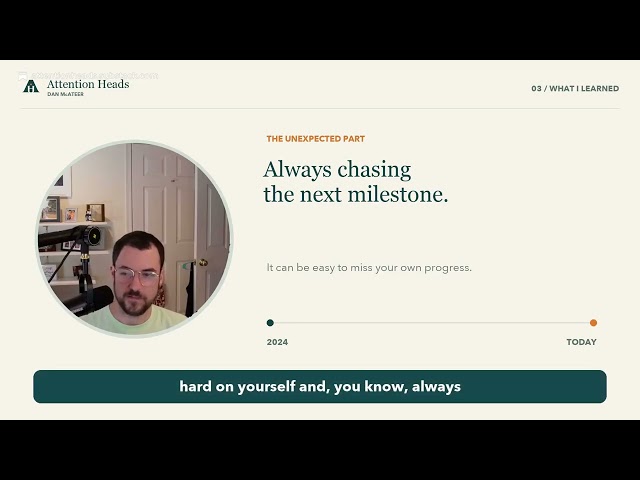
I've been experimenting with how a personal AI assistant could help me follow through on the things I care about. In this video, I ask my dot, Shaine, to start a ChatGPT thread and use my personal notes in Obsidian to propose a life vision document. Along the way, I discover something I hadn't realized it could do: my dot sends additional context into the thread while it's still working.

Dot reads Gmail, builds competitor ads, and sends a WhatsApp — all on camera
Creando mi Dot en OpenAI 🤖! Adrián Lucena sets up his Dot live: it accesses his connected Gmail and finds the email from Fatom with the previous day's meeting notes about calling Sergi for a SaaS demo; initiates a voice call with the Dot and confirms it is active; generates AI-created ad images and competitor names for his aesthetic clinic 'AURA'; and sends a WhatsApp message 'Te quiero, cariño' to Irina via WhatsApp Web, confirming delivery on camera.


Dot messaged me first about a broken automation
My AI assistant messaged me first. OpenAI just launched dots, and mine flagged an email warning that my contract automation had stopped. I hadn’t asked it to check. That’s the part worth paying attention to: AI that can keep working between conversations and bring things back to you. You choose the apps and permissions. Important results still need your review. What’s the first task you’d give yours? Dots are rolling out gradually. Access depends on your plan and region.
Dot 'Oso' 3D-models a dog in Blender, starts an Xcode project, and builds a Snake game
I called my ChatGPT dot, gave it a Blender task, and watched it work on a 3D model of my dog. It also started an Xcode project and built a Snake game. Having an assistant with its own computer makes the conversation feel very different. Full setup and hands-on tests: https://youtu.be/P2OGf7jqtOUReddit · Projects
Dot dreamed up and rendered a video of itself — then built the workflows to make and extend it

Dots: testei o agente pessoal da OpenAI
Dots é o agente pessoal da OpenAI - e chegou numa briga que já tem o Muse, da Meta, e o Grok Bot, da xAI. A dúvida não é se funciona. É se faz algo que os outros já não faziam. Veja o Lucas criar o próprio Dot do zero, ligar pra ele por voz, pedir busca de voo São Paulo–Rio e reserva de restaurante ao mesmo tempo, abrir o computador na nuvem do agente e testar o que ele constrói sozinho. E o que travou: Slack, múltiplos Dots e a velocidade do computer use. No final, o veredito - e por que ter o criador do OpenClaw no time subiu a régua. --- AGENDA 0:00 — O Dots no DevDay e a briga dos agentes pessoais 0:43 — O que é um agente persistente com computador próprio 1:40 — A trollagem do domínio que mandava pro Grok Bot 2:03 — Criando o Dot: setup e acesso ao computador local 3:01 — Customização: o Bob Ross entra em cena 3:40 — Contexto herdado do Codex e o Slack que não conectou 4:34 — Por dentro do computador do Dot: terminal, Chrome, Blender 6:23 — Ligando pro agente: voz, créditos e franquia 7:22 — Voo no Google Flights e reserva de restaurante em paralelo 8:24 — Dá pra criar mais de um Dot? 9:44 — Takeover e o resultado da busca de voo 10:45 — O que ainda não funciona 11:36 — Pedindo uma página com use cases 14:21 — O autorretrato no GIMP 16:20 — Dots vs Grok Bot: quem ganha a corrida 17:18 — Por que o computer use parece errático 20:02 — Veredito: esperava mais --- AiDrop, a newsletter que resume a década de avanços que rolaram em IA na última semana. Todas as terças/quintas às 13h, for free: https://www.aidrop.news/?utm_source=youtube_description Ferramentas utilizadas: ↳ Dots (ChatGPT Pro): https://chatgpt.com --- #OpenAIDots #Dots #ChatGPT #GPT6Astra #AgenteIA #AgentePessoal #GrokBot #MetaMuse #Codex #ComputerUse #OpenAI #IA #InteligenciaArtificial

ChatGPT Dots 首日實測!主動讀信、盯房價,只用手機就能派任務的24h個人助理
ChatGPT Dots 是 OpenAI 在 DevDay 推出的 24 小時個人 AI 助理,由 GPT-6 Astra 驅動,擁有自己的雲端電腦和瀏覽器。這支影片我首日實測:從開通、設定,到讓它主動讀信、監測飯店價格,甚至在電腦關機時,只用手機派任務,讓它在雲端幫我做出網頁動畫。 這次實測重點: ✅ ChatGPT Dots 是什麼?跟一般 AI 聊天有什麼不同 ✅ 開通資格與設定:命名、換形象、連接 Gmail、Google Drive、Notion ✅ 主動型助理實戰:每天自動檢查 Email、只提醒重要合作 ✅ 價格監測:幫你盯機票、飯店價格,還能設定重複頻率 ✅ 手機遠端派任務:電腦關機,Dots 在雲端繼續執行 ChatGPT 專案 ✅ Dots 跟 Codex Remote 差在哪? ✅ 額度怎麼算:聊天不佔額度,但派出去的任務照常計算 ✅ 真實翻車紀錄與首日心得:它適合誰? ⏱️ 章節 00:00 ChatGPT Dots 是什麼 01:25 開通與設定 02:30 幫我看郵件 03:10 主動讀信與價格監測 04:26 手機派任務:電腦關機也能做網頁 06:08 Dots vs Codex Remote 07:03 額度怎麼算 07:22 適合誰? 目前 Dots 主要開放給 ChatGPT Pro (100美金起)與 Business Premium 用戶,實際開放依地區與帳號而定。 如果你也拿到 Dots 了,歡迎在留言區告訴我:你都讓它幫你做了什麼? #ChatGPT #ChatGPTDots #AI助理 #Personal Agent
CLI for ChatGPT Dots with multi-agent skill
科技與狠人🤣 -The post is quoting (referencing) another post which mentions: 幫 ChatGPT Dots 做了個 CLI 可以在 terminal 看狀態、讀訊息,也能直接傳訊息給它 圖裡那句就是從本機 CLI 送的,有收到也有回 順便包了 skill,讓 Claude Code、Codex、Grok Build 這些 Agent 也能透過 CLI 跟 dot 交互 MCP 也有,但不一定要用 Repo 下面 [EN: Built a CLI for ChatGPT Dots — check status, read messages, and send messages directly from the terminal. The message in the screenshot was sent from the local CLI; it was received and replied to. Also packaged a skill so other agents (Claude Code, Codex, Grok Build) can interact with dots via the CLI. MCP is supported but optional.]
I left GPT-6 Astra its own computer for an afternoon — this is what it did
Le di a un dot de OpenAI su propio ordenador, me fui a por un café y al volver me había programado una app, la había probado y había arreglado tres fallos solo. Le puse cuatro pruebas: programar sin mí, dos trabajos a la vez, aprender de mis correcciones y una última en la que intenté que se pasara de la raya. La cuarta me dio un poco de miedo. (Original in Spanish — EN: I gave an OpenAI dot its own computer, went for a coffee, and when I came back it had programmed an app, tested it and fixed three bugs all by itself. I gave it four tests: program without me, two jobs at once, learn from my corrections, and one last test where I tried to get it to cross the line. The fourth one scared me a little.)