 vercat
 PokerGod
 Token Reset
 3 Things Today
 DotDial

Work & career: 14 Dots use cases
Showing 14 of 14 matching projects.

Claude power user hasn't opened Claude in 7 days — his Dot is now his first stop
Surprised myself this week. I've been a Claude power user for 12 months and I haven't opened the Claude app in 7 days. My first stop is now the Dot agent inside ChatGPT. It's got its own computer, it's connected to my Gmail, Drive, calendar, GitHub and Vercel, and it hands the heavy work off to Claude Code agents. I just tell it what I'm working on. It feels like one of those moments where the friction drops and the capability jumps at the same time. Keen to see the other labs answer this over the rest of the year. Honestly a good time to be a business owner with access to this stuff, especially while we're in the subsidy era and not paying full price for it. Take advantage of it. #chatgpt #aiagents #openai #claudecode #aiforbusiness #smallbusinessau #buildinpublic #dots

dots by ChatGPT is here!
I've had early access. My Dot noticed a discrepancy in a contract I've been working on — it found the problem, worked out a resolution, and asked if I wanted it to handle it with the other parties. I didn't ask it to do any of that. It also edited my video audio and made the cuts like I normally do.
Work & career
Dot investigates CI failures and coordinates fixes from my phone


Stress-tested an OpenAI Dot on a hiring task — and tried to trip it up
I Gave an OpenAI Dot a Hiring Task, Then Tried to Trip It Up I handed an OpenAI dot a hiring task, changed the rules, and added a duplicate. Save this for a grounded look at OpenAI's new agents. Dots are OpenAI's always-on agents. Each has its own cloud computer and can coordinate work through ChatGPT Work or Codex. The test (all fictional): 4 application summaries, a role brief, and clear boundaries: organize evidence, keep gaps visible, leave decisions to the human. The catch it caught: applicant two claims Python, but the project was a browser interface with no Python sample. The dot kept both facts visible and marked the evidence unknown, without treating a claim as proof. Changed priority to project-first: it reordered the columns but changed nobody's eligibility. Added 2 more plus a duplicate: result was 6 unique applicants, not 7. Evidence stayed attached correctly. Asked for an interview draft for applicant one: 5 project-specific questions, invitation left as a draft with placeholders. We chose the applicant, not the dot. The honest part: one staged session, fictional data, no comparison to regular chat. It organized. The decisions stay human.
Fusion Events' Dot audited his backlinks and found a broken one
A pleasant conversation isn't my benchmark for an AI assistant. Can it do something useful with the work I've already got going? In this demo, I called my Dot and gave it a real task: audit the backlinks to Fusion Events, identify worthwhile sites to approach, and work out how we'd approach them. The useful bit was wonderfully unglamorous. A broken backlink. An audit I could review. A correction email drafted with my signature and left unsent for me to approve. Nobody needs another robot confidently announcing that it has revolutionized their business. Fixing a broken link will do nicely, thanks. What interests me here is the context. I've already spent time working through projects in ChatGPT. Being able to pick up that work by phone matters more to me than starting another assistant from zero and explaining my business all over again. Thats how Im judging these tools: give them a specific job, inspect what comes back, and keep control of anything that goes out in my name. Want to try the same task? Give your assistant your exact website address and ask it to verify existing backlinks, separate confirmed findings from gaps in the data, and draft one specific correction request. Check the source page yourself before sending anything. If it cant show you the evidence, it isnt a verified finding. Start with a loose end in your business. See whether the assistant can actually help you close it. #dot #openai #coding #ai #aitips
My Dot auto-delivers a sales-meeting prep report 30 minutes before each meeting
ChatGPTからAI秘書が公開|dotsで商談30分前に準備レポートが届く便利な使い方 #Shorts ChatGPTの新機能「dots」を、パーソナル秘書として使う方法を約1分半で解説します。 僕がいちばん便利だと感じているのが、商談30分前の自動レポート。 ・Googleカレンダーから社外の商談だけを見つける(社内会議・キャンセル済みは除外) ・メール・Slack・CRM・公開情報から相手の情報を集める ・開始30分前に、チャットへ準備レポートが届く 中身は、会社概要/相手の近況/当社との契約・過去のやり取り/直近ニュース/当日の確認事項。出典を添えて、わからないことは推測せずに書くよう頼んでいます。移動中にパッと読むだけで、最新情報を押さえて商談に入れます。毎朝のメールまとめも任せています。

How I Set Up My ChatGPT Dot and Gave It Real Work
I just got access to my very own dot and onboarded it on camera. I named my dot Dash. I gave it real work: a 50-60 second video script, a 2-minute MC opening, my newsletter research and outline, and a full campaign plan for my workshop launch on Maven. Dash worked on multiple threads at once and delivered a 40-page campaign plan with promo dates, tracking URLs, discount codes, landing page copy and LinkedIn copy. Doing it myself would have been a week's worth of work.
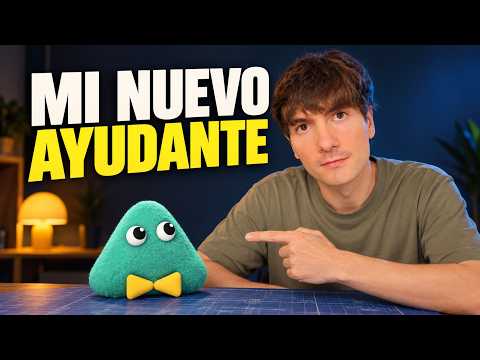
Testing OpenAI Dots with 5 real work tasks (ES)
Probé los Dots de OpenAI con 5 tareas de mi trabajo Descubre DOTS OpenAI: el nuevo agente de inteligencia artificial para automatizar tareas. Aprende a configurarlo paso a paso. En este video, explico qué es DOTS, la nueva herramienta de OpenAI, y cómo puedes empezar a usarla hoy mismo. Si buscas mejorar tu productividad, este asistente es capaz de gestionar flujos de trabajo complejos conectándose a tus herramientas habituales. Te muestro cómo configurar IA para que trabaje por ti, analizando cinco casos de uso prácticos donde este agente marc

Hired Dots as my outreach assistant — Jamie caught a broken link my SEO tool missed
Promptslove hired OpenAI's Dots as an 'outreach assistant' for his business and named the Dot 'Jamie'. After saving detailed guidelines, he had Jamie scrape his website to learn about it — the Dot found his membership link pointing to the wrong URL, something his own paid SEO tool had failed to catch. Jamie then began digital PR work, identifying journalists to contact (no backlinks yet — only a few hours in). First-hand, on-screen demo in a YouTube Short.


